

Latest Version
Beijing Kingsoft Office Software, Inc.
Finance
Linux
Free
cn.wps.wps_365
Report a Problem
More About WPS 365 Office Suite: Complete Linux Productivity Review
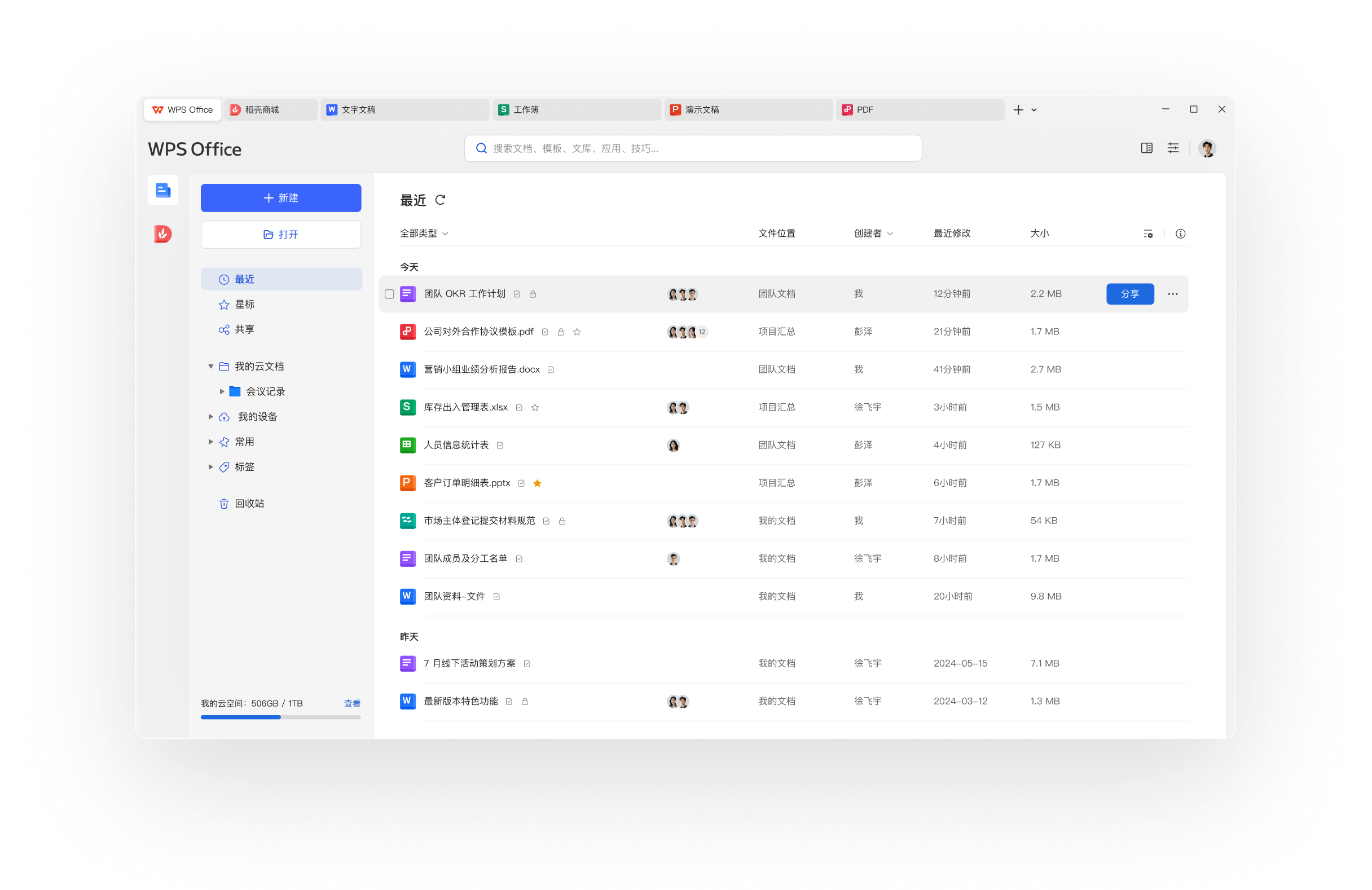
Modern enterprises frequently struggle with tool fragmentation. Switching between isolated applications for word processing, team chat, cloud storage, and video conferencing wastes valuable time and disrupts focus. The WPS 365 office suite addresses this exact operational pain point by consolidating essential business tools into a single, highly cohesive digital workspace designed to power corporate productivity.
What is the WPS 365 Office Suite?
Developed by Beijing Kingsoft Office Software, Inc., the WPS 365 office suite is an all-in-one enterprise platform built to facilitate digital transformation. While traditionally popular on mobile and desktop operating systems, Linux users can now access this collaborative environment. It is important to note that the Linux offering available via Flathub operates as an unverified wrapper, meaning it is not directly supported or certified by the official developer, but it serves as an excellent gateway for open-source professionals seeking robust office tools.
Key Collaborative Features for Linux Teams
Rather than offering a simple text editor, this platform provides a comprehensive suite of cloud-first productivity utilities:
- Genuine WPS Suites & Docs: Create, edit, and manage professional documents, spreadsheets, and presentations with high format compatibility.
- Enterprise Cloud Storage: Store, organize, and share critical business assets securely using dedicated corporate cloud disks.
- Kingsoft Workbench IM: Streamline internal communications with integrated instant messaging, reducing reliance on third-party chat apps.
- Integrated Conferencing: Host audio and video meetings directly within the platform to keep remote teams aligned.
Important Considerations for Users
While the WPS 365 office suite offers an incredibly versatile feature set, Linux deployment comes with specific nuances. The display language defaults to Chinese, though users can manually configure other languages by following the official documentation on the package's repository page. It is worth noting that translations for languages other than Chinese may currently be incomplete. Additionally, manual configuration steps are recommended post-installation to ensure optimal performance on your specific distribution.
Who is This Platform For?
This software is tailored specifically for organizations, remote teams, and enterprise users who require a unified hub for document management and real-time collaboration. By combining communication tools with standard office applications, it minimizes software overhead and simplifies daily business administration.
To evaluate if this collaborative platform meets your organizational standards, we invite you to read more and check out its availability on the official Flathub store page today.
Rate the App
User Reviews














Popular Apps










Editor's Choice